
QMS tour4 steps · about 2 minutes
From deviation to CAPA — on one audit trail
Follow a real deviation from the shop floor through its decision, closure and CAPA — with every signature and change on the record.
Quality management tour
QMS tour Step 1 of 4
-
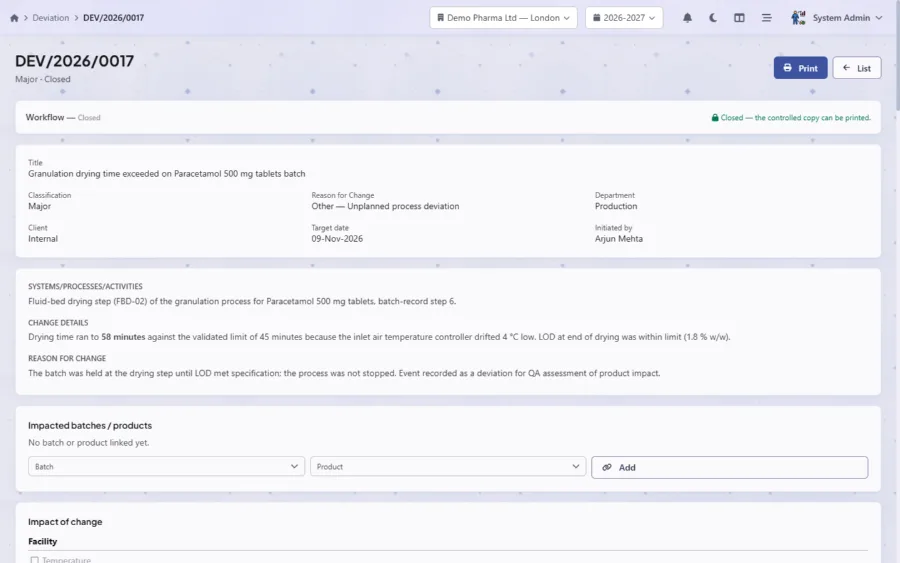
A deviation, recorded where it happened
DEV/2026/0017 records a drying time that ran past its validated limit. It is classified Major, linked to its department and raised by a named person.
- Classification & status
- Raised by a named person
- Locked once closed
-
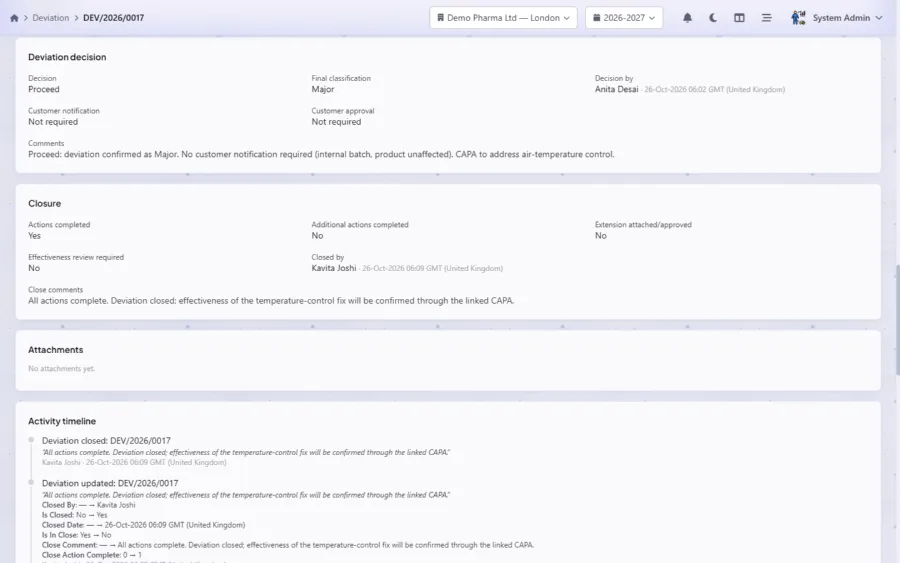
Decision and closure, each by a different person
The plant head decides to proceed; Head QA closes the deviation once its actions are complete. Each step shows who acted and when, in the site’s local time.
- Decision by the plant head
- Closed by Head QA
- The rationale, on record
-
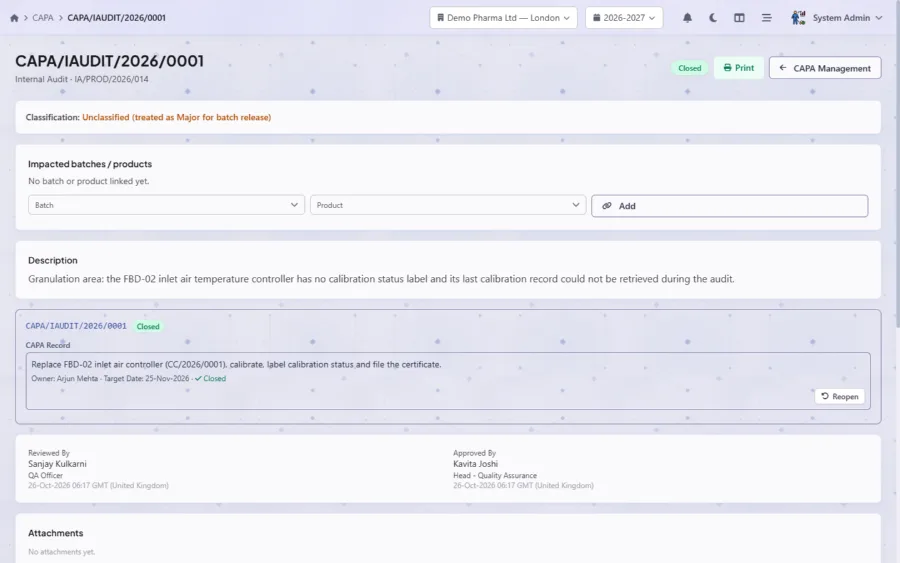
The CAPA, tracked to closure
An internal audit finding raised this CAPA. The action has an owner and a target date; a QA officer reviews it and Head QA approves it — two different people.
- Source: internal audit
- Owner & target date
- Reviewed and approved separately
-
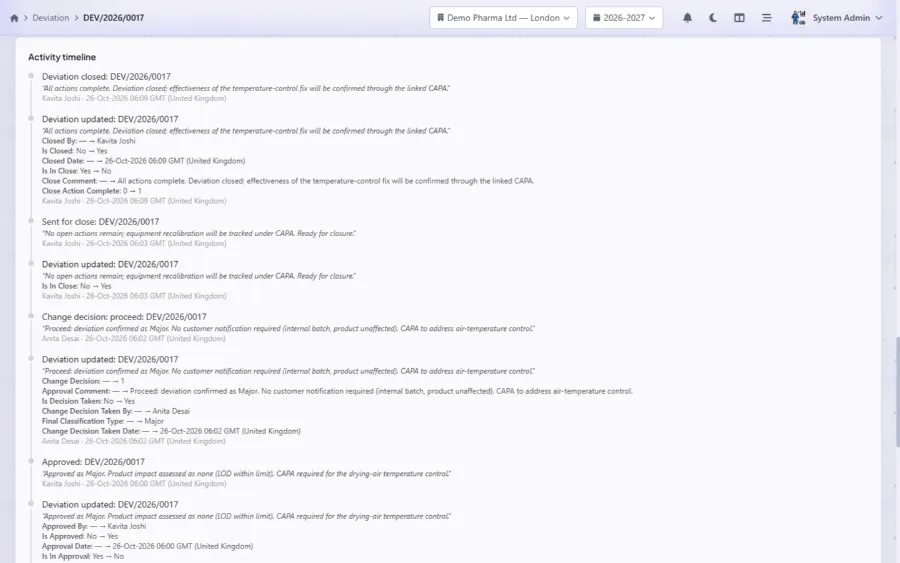
Every change on the audit trail
The activity timeline shows who changed what, when and why — the old and new value of every field, readable by an inspector without a database query.
- Each event, user and time
- Old value → new value
- The decision and its reason


Tour complete
See it with your own records.
In a free, personalised demo we walk through your processes in Swat iQua Suite — and answer your team’s questions live.
More tours
Keep exploring the platform.
-
-
-


Seen enough to want the real thing?
Book a free, personalised demo and see Swat iQua Suite running your own processes — with your team’s questions answered live.